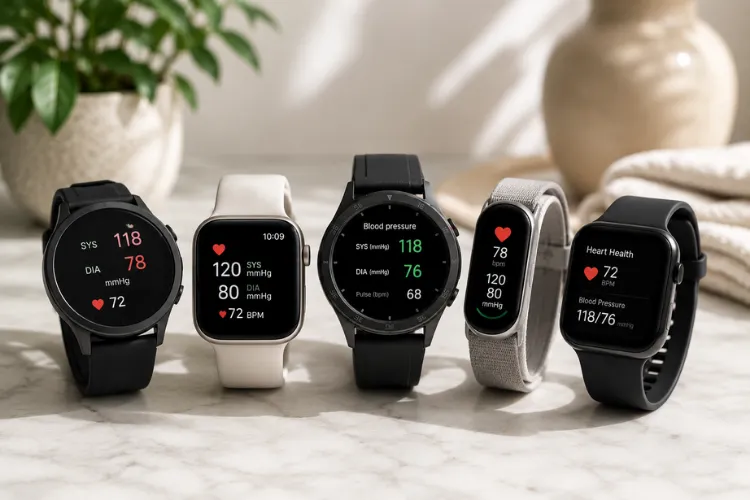
Sleep trackers can be incredibly helpful when they make your nights feel clearer, calmer, and easier to understand.
But for sensitive nervous systems, they can also do the opposite.
One low sleep score. One poor recovery message. One HRV trend that makes you feel behind before the day has even started. Suddenly, the device that was supposed to support better sleep becomes another source of pressure.
That does not mean sleep trackers are bad.
It means the settings matter.
When biometric feedback triggers stress instead of recovery, the technology starts working against its purpose. A sleep tracker should help you notice patterns without making you feel monitored, judged, or worried every morning.
For people who are sensitive to notifications, health data, EMF exposure, skin contact materials, or performance pressure, the best approach is not to track more.
It is to track smarter.
Researchers have described a pattern called orthosomnia, where some people become so focused on sleep tracker data that the pursuit of perfect sleep may reinforce sleep-related anxiety or perfectionism.
This guide is for people who want the benefits of sleep tracking without letting the data take over the nervous system.
Quick Answer
The best sleep tracker settings for sensitive nervous systems are the ones that reduce pressure, limit alerts, simplify HRV interpretation, reduce unnecessary overnight stimulation, and make the device feel supportive instead of stressful.
Use a minimalist setup. Turn off most push notifications. Avoid checking your sleep score immediately after waking. Focus on 7-day trends instead of daily fluctuations. Reduce HRV and recovery alerts. Use airplane mode or manual sync overnight if your device supports it. Keep your phone away from the bed. Choose devices and straps made from more skin-friendly materials, especially if you wear them tightly against warm skin for 7 to 9 hours.
The goal is not perfect tracking.
The goal is a calmer relationship with sleep, recovery, and your own body.
At a Glance: Best Settings for Sensitive Sleep Tracker Users
| Setting | Best Choice | Why It Helps |
| Notifications | Turn off everything except essential alarms | Reduces sleep performance anxiety and micro-stress |
| Sleep score | Check later in the morning | Lets your body speak before the app does |
| HRV | Use trends, not single-day alerts | Prevents overreacting to normal daily variation |
| Recovery score | Review weekly patterns | Keeps one bad night from defining the day |
| Bluetooth or syncing | Use airplane mode or manual sync if supported | Reduces unnecessary overnight wireless exposure |
| Phone placement | Keep phone away from the bed | Creates a calmer low-exposure sleep zone |
| Materials | Choose titanium, stainless steel, ceramic, or verified silicone where possible | Supports better skin-contact confidence |
| App use | Set a short review window | Prevents endless checking and sleep data obsession |
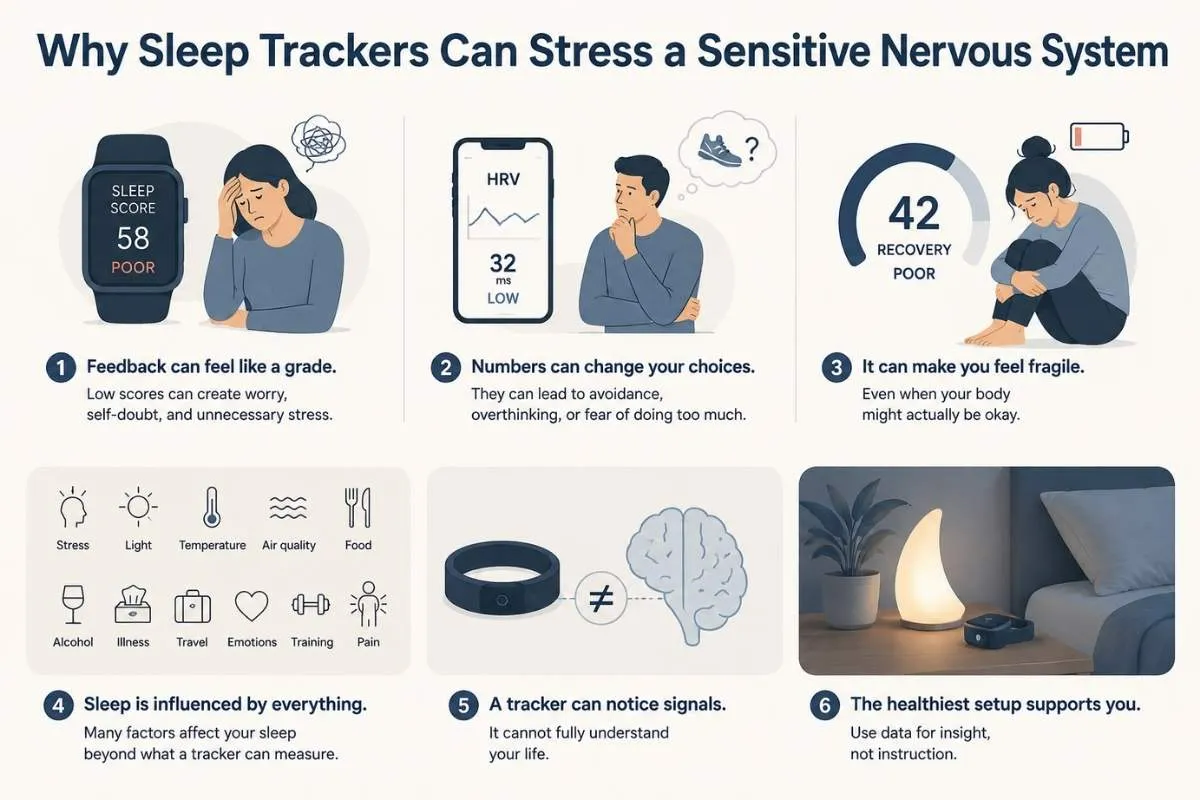
Why Sleep Trackers Can Stress a Sensitive Nervous System
Most sleep trackers are designed around feedback.
That feedback can be useful when it helps you understand patterns. You may notice that late meals affect your sleep latency, alcohol lowers your recovery, or a warmer bedroom leads to more wake-ups.
The problem starts when the feedback feels like a grade.
A low sleep score can make you feel like your day is ruined before it begins. A low HRV reading can make you cancel movement, avoid plans, or assume something is wrong. A poor recovery score can make you feel fragile even when your body actually feels fine.
For a sensitive nervous system, this matters.
Sleep is not just a number. It is influenced by stress, light exposure, hormones, room temperature, air quality, food timing, alcohol, illness, travel, emotional load, training, pain, and your sense of safety.
A tracker can notice signals.
It cannot fully understand your life.
That is why the healthiest sleep tracker setup is one that gives you useful information without taking over your intuition.
My Own Experience: Why Oura Feels Calmer Than Apple Watch for Sleep
I have used Oura for a long time, first with Oura Ring 3 and now with Oura Ring 4.
For me, the biggest benefit is that it feels quiet.
There is no screen on my finger. No watch face lighting up at night. No messages. No visual reminder that I am wearing a performance device while I am trying to rest.
I use Oura mostly for sleep, readiness, HRV, body temperature, deep sleep, oxygen levels, and recovery trends. I do not see it as a perfect authority. I see it more as a quiet nervous system coach.
When my HRV drops for more than one day and I also feel heavier, more irritated, or less recovered, I take that seriously. It is usually a sign that I should slow down, walk more gently, breathe, meditate, use sauna or cold exposure carefully, or avoid pushing too hard in training.
That is where Oura has helped me most.
Not because one score tells me who I am.
But because the patterns help me listen to my body earlier.
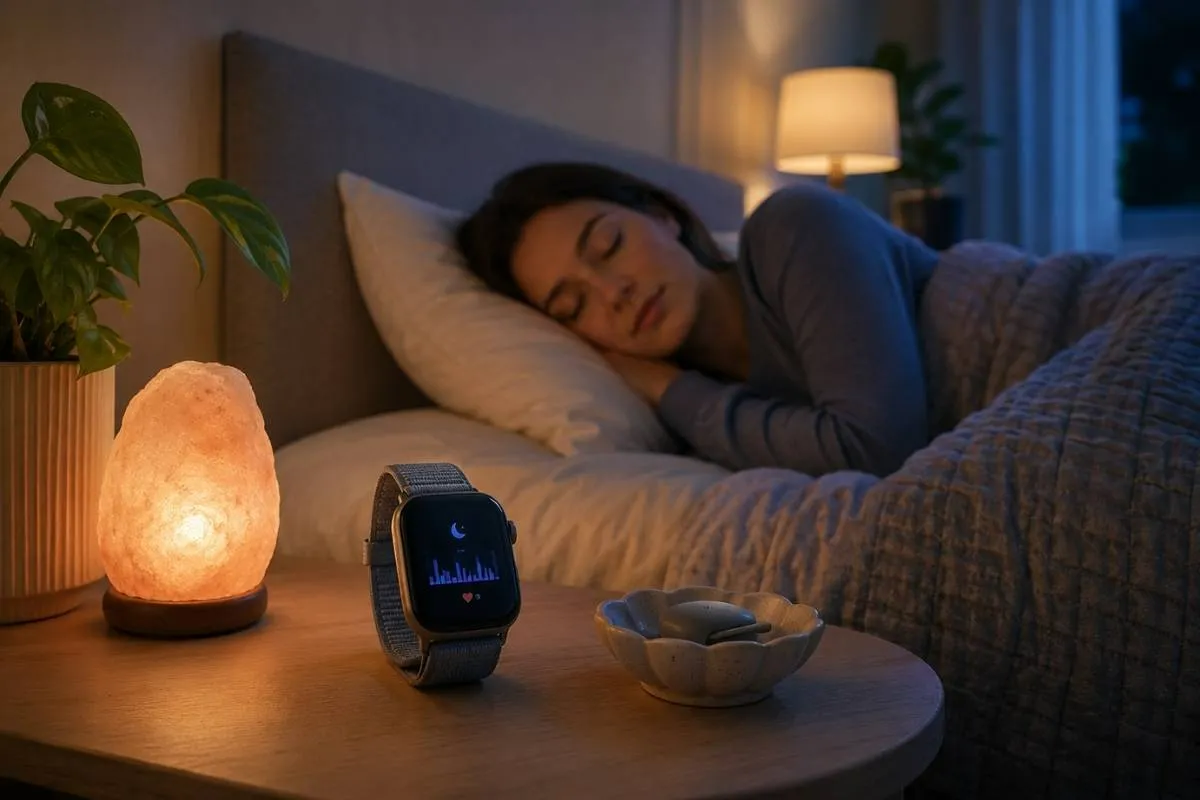
I also use Apple Watch, and I find it useful for daytime activity, movement, workouts, mindfulness sessions, heart rate, and general daily tracking. Apple Watch can track sleep stages such as REM, Core, and Deep sleep when worn overnight, and Apple’s own support explains that it can show sleep trends over time.
But for sleep, I personally prefer the ring format.
Apple Watch is more active. It has a screen. It can be connected to more apps, alerts, reminders, and daytime behavior. That can be very useful during the day, but at night I want less stimulation, not more.
For a sensitive nervous system, that difference matters.
A sleep tracker should not make you feel watched, corrected, or judged all day. It should help you understand your body with more compassion.
That is why I recommend looking beyond features alone.
The best tracker is not always the one that tracks the most.
It is the one you can actually wear consistently without feeling more stressed.
Top pick for sensitive systems: best sleep tracker – lowest alerts, gentlest vibrations.
Setting 1: Turn Off Most Notifications
The first setting to change is notifications.
For sensitive users, fewer alerts usually means a calmer nervous system.
Turn off notifications for:
- App reminders
- Recovery warnings
- Low readiness alerts
- Sleep score updates
- Random achievement messages
- Bedtime pressure alerts
- Daily performance nudges
Keep only what genuinely helps you. That might be a gentle wind-down reminder or a quiet morning alarm.
A sleep tracker should not interrupt you all day with messages about your body.
A good rule is simple:
If a notification makes you feel rushed, guilty, behind, or worried, turn it off.
This is especially important if you already have a tendency to overthink health data. A sensitive nervous system needs fewer interruptions, not constant biometric commentary.
Discreet tracking done right: best sleep tracking ring – no wrist pressure, optimal for HRV.
Setting 2: Do Not Check Your Sleep Score Immediately After Waking
This is one of the most important changes.
If you check your sleep score in the first minute after waking, the device gets to define your morning before your body does.
Instead, create a buffer.
Wake up. Notice how you feel. Drink water. Get light. Move a little. Breathe. Then check the data later if you still want to.
This helps your brain learn that the tracker is information, not authority.
I understand the temptation to check right away. I have done it myself. When you are using Oura, Apple Watch, WHOOP, Garmin, Fitbit, or any other tracker, it can feel natural to open the app first thing in the morning.
But for sensitive users, this can create a subtle problem.
You may feel fine, then see a low score and suddenly feel discouraged. Or you may sleep poorly, see a surprisingly good score, and feel confused because the data does not match your body.
That is why I like this rule:
Your body gets the first vote.
The app gets the second.
Sensitive system showdown: WHOOP vs Oura – which recovery data won’t overstimulate
Setting 3: Use 7-Day Trends Instead of Daily Scores
Daily sleep data can be noisy.
One bad night does not mean your health is falling apart. One low HRV reading does not mean your body is failing. One poor recovery score does not erase the progress you are making.
Weekly trends are calmer and more useful.
Look for patterns like:
- Do I sleep better when I eat earlier?
- Does alcohol lower my HRV?
- Does evening screen time affect sleep latency?
- Does hard training reduce deep sleep the next night?
- Do I wake less often when the room is cooler?
- Does morning sunlight improve my bedtime rhythm?
- Does late stress affect my resting heart rate?
- Do sauna, breathwork, or cold exposure change my recovery pattern?
This turns your sleep tracker into a pattern tool instead of a daily report card.
That is a much healthier way to use wearable data.
For me, this is the real value of Oura. Not one night. Not one score. But the way the ring helps me see rhythm over time.
Calm + track combo: Apollo Neuro review – wearable that soothes while monitoring.
Setting 4: Treat HRV as an Indicator, Not a Dictator
HRV can be helpful, but it is also one of the most misunderstood sleep tracker metrics.
A lower HRV reading may reflect stress, illness, poor sleep, hard training, alcohol, dehydration, late meals, hormonal shifts, or normal day-to-day variation.
It should not automatically trigger fear.
For sensitive users, reduce HRV alerts if your app allows it. Avoid push notifications that tell you your recovery is poor first thing in the morning.
A better way to interpret HRV is:
- Low HRV plus feeling exhausted means slow down.
- Low HRV plus feeling fine means observe, but do not panic.
- Higher HRV over time may suggest better recovery rhythm.
- One reading alone is not the whole story.
HRV is an indicator.
It is not a dictator.
I personally look at HRV because it often matches what I feel in my body. If my HRV is down and I also feel heavy, tense, irritated, or less resilient, I use that as a signal to recover more intelligently.
But I do not want HRV to become another pressure point.
That is the line.
Use the data to support body awareness.
Do not let the data replace body awareness.
Save on sensitive-friendly tracking: Oura Ring coupon code – best settings included.
Setting 5: Choose Gentle Goals Instead of Perfect Goals
Many apps encourage strict targets.
Eight hours. Perfect bedtime. Higher readiness. Better score. More consistency.
Those can help some people. But for sensitive nervous systems, strict goals can create pressure.
Choose softer goals instead:
- Morning light
- A calmer wind-down
- Less phone time at night
- A cooler bedroom
- A more stable wake time
- Less caffeine later in the day
- More quiet before bed
- More consistent meals
- Less intense training when recovery is low
The tracker should support these habits. It should not make you feel like you failed.
Better sleep is not built through pressure.
It is built through rhythm.
This is also where a tracker can become a lifestyle tool instead of a stress tool. It can show you which small choices actually improve your sleep environment, your recovery, and your next day energy.
Setting 6: Use Airplane Mode or Manual Sync If Your Device Supports It
Many people who care about a low-exposure bedroom worry about Bluetooth, wireless signals, and EMF exposure.
That concern is understandable, especially when a device is worn close to the body for hours.
At the same time, it is important to stay balanced. The goal is not fear. The goal is reducing unnecessary exposure where it is easy and practical.
Oura has an airplane mode feature that disables syncing until airplane mode is turned off, and Oura explains that data syncs again once airplane mode is disabled.
That is one reason I like Oura as a sleep device. If you want a lower-stimulation setup at night, it gives you more control.
Not every wearable works the same way. WHOOP, for example, is designed around continuous tracking and membership-based recovery insights, so it is better to check the current device settings before assuming it can work offline in the same way. WHOOP’s support page also shows that its model is built around paid membership plans, which is worth considering before buying.
A calm Healthy Home Upgrade approach looks like this:
- Use airplane mode overnight if your device supports it.
- Sync manually in the morning.
- Keep your phone away from the bed.
- Turn off unnecessary Bluetooth overnight.
- Avoid charging devices beside your pillow.
- Use only the tracker you actually need.
- Avoid stacking multiple wireless devices in the bedroom.
The goal is not to panic about technology.
The goal is to make the bedroom feel calmer.
Setting 7: Pay Attention to Skin Contact Materials
A sleep tracker is not just a piece of technology.
It is also a wearable material that may touch your skin for 7 to 9 hours at a time.
For most people, this is not a major issue. But if you have sensitive skin, allergies, irritation, night sweats, or a low toxic load mindset, the material matters.
Look for:
- Titanium or stainless steel housings
- Ceramic options where available
- Smooth sensor surfaces
- Verified silicone straps
- Comfortable fit without tight compression
- Easy cleaning
- Replacement straps from reputable brands
Oura’s support page describes Oura Ring 4 as using titanium with surface coatings depending on finish, and it describes the inner shell as non-allergenic titanium with a medical-grade, BPA-free inner surface.
That kind of material transparency matters.
With wrist trackers, the strap often matters more than the device body. Very cheap, unverified plastic or TPU-style straps can be harder to evaluate from a low-toxic-load perspective, especially when worn tightly against warm or sweaty skin overnight.
This does not mean you need to become obsessive about materials.
It means you should choose a tracker that feels comfortable, cleanable, and transparent enough to trust against your skin.
For sensitive users, the best sleep tracker is not just accurate.
It is wearable in real life.
Setting 8: Turn Off Competitive Features
Some sleep and fitness apps are built like performance dashboards.
That can be motivating for athletes, but it can be too intense for people who need sleep to feel safe and restorative.
Turn off or ignore features like:
Streaks
Leaderboards
Aggressive recovery warnings
Social comparison features
Missed goal alerts
Constant performance nudges
Sleep is not a competition.
A sensitive nervous system often does better with quiet consistency than constant optimization.
This is one reason I separate “daytime tracking” from “nighttime recovery.”
Apple Watch can be excellent for daytime movement, workouts, mindfulness, activity rings, and quick health checks. But if a screen-based device keeps your brain in tracking mode at night, it may not be the calmest sleep option for you.
Oura feels different because it is passive and screen-free.
That quietness is part of the benefit.
Setting 9: Use the Tracker to Improve the Room, Not Judge the Body
This is one of the most important mindset shifts.
Instead of asking, “What is wrong with me?” ask, “What can I adjust in the room?”
Your sleep tracker can help you test:
- Bedroom temperature
- Evening light
- Noise
- Air quality
- Humidity
- Mattress comfort
- Pillow height
- Late meals
- Alcohol
- Evening workouts
- Stress load
- Phone placement
- Sauna timing
- Cold exposure timing
If your tracker shows frequent wake-ups, that does not automatically mean your body is broken.
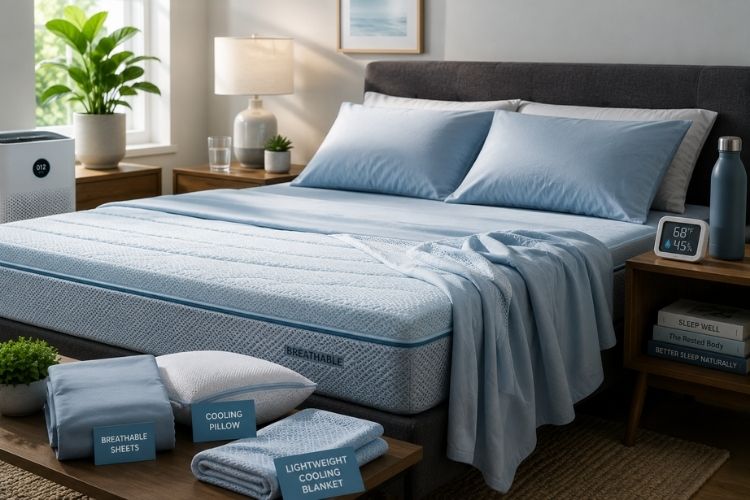
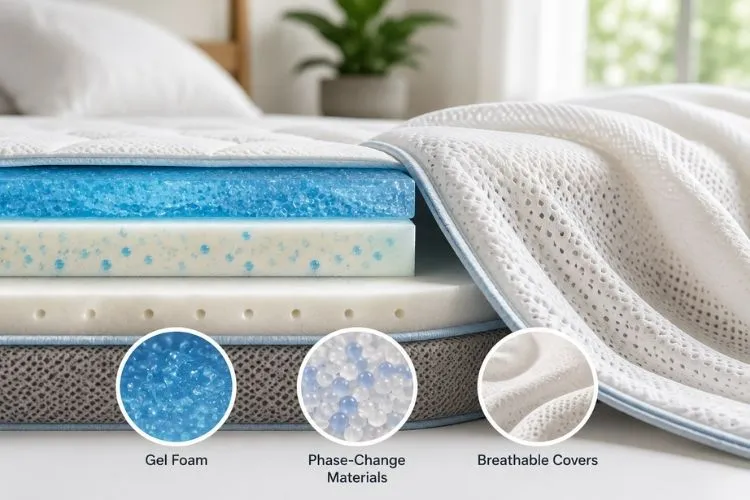
It may mean the room is too warm. Your mattress may trap heat. Your phone may be too close. Your evening routine may be too stimulating. The air may feel dry. Your caffeine cutoff may be too late.
This is where sleep tracking becomes useful.
It gives you clues.
For Healthy Home Upgrade, this is the bigger picture. Sleep tracking is not just about the device. It is about the whole sleep environment.
The tracker is one tool.
The bedroom is the system.
Setting 10: Create Data-Free Mornings
If sleep tracking starts to feel obsessive, take short breaks.
You do not have to stop using the device forever. You can simply choose one or two mornings each week where you do not check the app.
Ask yourself first:
- How do I feel?
- Do I feel rested enough?
- Is my mind clear?
- Does my body want movement or rest?
- What would I do today if I had no score?
This rebuilds body trust.
A tracker should sharpen your intuition.
It should not replace it.
For people who are very sensitive to health data, this one habit can be powerful. It teaches your nervous system that you are still safe, even without a number.
Device Fit Notes for Sensitive Users
This article is not a full product comparison. But different types of sleep trackers can feel very different for sensitive users.
Oura Ring
Oura can be a good fit if you want a screen-free, minimal tracker that does not buzz on your wrist all day.
Best for: people who want quiet sleep data, fewer distractions, HRV trends, readiness, body temperature, and a small wearable.
Why I like it: I use Oura as a quiet sleep and nervous system coach. It helps me notice patterns without turning my night into a performance dashboard.
Potential weakness: rings can feel restrictive if your fingers swell at night or if you dislike wearing jewelry while sleeping.
Avoid if: you know rings bother you, or if you have unresolved metal sensitivity and have not checked the material details carefully.
Best setting for sensitive users: use fewer notifications, focus on trends, and consider airplane mode if you want less overnight syncing.
See the latest price on Amazon
Apple Watch
Apple Watch can be useful if you want one device for daytime activity, workouts, mindfulness, heart rate, sleep schedules, alarms, and broader health features. Apple explains that Apple Watch can estimate time spent in sleep stages and show sleep trends over time.
Best for: people who want an all-in-one device for daytime health and fitness.
Why I still use it: I like Apple Watch for movement, mindfulness, activity, and daily visibility.
Potential weakness: it has a screen and can feel more stimulating at night if you are sensitive to alerts, apps, or the feeling of being “on.”
Avoid if: you want the quietest possible sleep tracker and find screens or watch-style devices distracting in bed.
Best setting for sensitive users: use Sleep Focus, limit notifications, reduce screen activation, and keep the watch experience as quiet as possible overnight.
WHOOP
WHOOP can be useful for recovery-minded users and athletes who want detailed strain, sleep, and recovery insights. It is built around membership plans, so the ongoing cost should be considered before buying.
Best for: people who like coaching, recovery trends, training strain, and detailed performance feedback.
Potential weakness: it may feel too intense if you are prone to over-optimization or daily performance pressure.
Avoid if: you already know scores and recovery data make you anxious.
Best setting for sensitive users: focus on weekly recovery patterns and avoid letting daily strain or recovery scores decide your whole mood.
Check the latest price on Amazon
Apollo Neuro
Apollo Neuro is different because it is not primarily a sleep tracker. It is positioned as a wearable for stress, sleep, focus, recovery, and resilience rather than a classic sleep stage tracker.
Best for: people who want nervous system support rather than more metrics.
Potential weakness: it adds another device to your routine, which may be too much if you already feel overwhelmed by tech.
Avoid if: you want one simple tracker only and do not want extra routines.
Best setting for sensitive users: use calming modes before bed, but avoid stacking too many devices at once.
My Low-Stress Tracking Routine
Here is the routine I personally believe makes the most sense for sensitive users.
In the evening, reduce input.
Turn on sleep mode. Turn off non-essential notifications. Keep the phone away from the bed. Wear only the tracker you actually trust. If your device supports airplane mode or offline tracking, use it when it makes sense.
During the night, do not check the app.
The purpose of sleep is not to monitor sleep.
The purpose of sleep is to sleep.
In the morning, pause before opening the app. Notice your body first. How do you feel? Is your mind clear? Are your legs heavy? Do you feel calm, wired, flat, or restored?
Then check the data later.
Once a week, review trends.
That is where the real insight lives.
When to Stop Tracking for a While
A sleep tracker is not helping if it makes you more anxious, more rigid, or more afraid of bad sleep.
Take a break if:
- You feel upset before checking your score.
- You cancel plans because of one low recovery number.
- You feel afraid to sleep without the device.
- You trust the app more than your body.
- You spend more time analyzing sleep than improving your routine.
- Your sleep anxiety is getting worse.
This does not mean you failed.
It means your nervous system may need less monitoring and more safety.
A good tracker should make your life feel clearer, not smaller.
The Bottom Line
The best sleep tracker settings for sensitive nervous systems are simple, quiet, and supportive.
Turn off unnecessary alerts. Check your sleep score later in the morning. Use weekly trends instead of daily judgment. Keep HRV in context. Reduce unnecessary overnight wireless exposure where your device allows it. Choose skin-contact materials that feel comfortable, cleanable, and transparent.
From my own experience, Oura Ring 4 works especially well for sleep because it is quiet, screen-free, and easy to use as a pattern tool rather than a performance device. Apple Watch is excellent for daytime activity and broader health tracking, but for sleep, a ring can feel calmer if your nervous system is sensitive to screens, alerts, and stimulation.
A sleep tracker should help you build trust in your body.
It should not make you feel graded every morning.
When the settings are right, sleep tracking becomes what it should have been all along:
A gentle tool for better rhythm, better recovery, and a calmer home sleep environment.